
Technology
Apple Watch Moves Internet Out of Your Pocket


Apple CEO Tim Cook talks about the new Apple Watch during an Apple event on Monday, March 9, 2015, in San Francisco. (AP Photo/Eric Risberg)
BRANDON BAILEY, AP Technology Writer
SAN FRANCISCO (AP) — Apple wants to move the Internet from your pocket to your wrist.
Time will tell if millions of consumers are willing to spend $350 on up — there’s an 18-karat gold version that starts at $10,000 — for a wearable device that still requires a wirelessly connected smartphone to deliver its most powerful features.
But CEO Tim Cook is selling the Apple Watch as the next must-have device, able to serve people’s information needs all day long, like no other tool has quite been able to do.
“Now it’s on your wrist. It’s not in your pocket or pocketbook,” Cook said before unveiling the new line on Monday. “We think the Apple Watch is going to be integral to your day.”
Apple wants this wristwatch — which piggybacks on a nearby smartphone’s Internet connection through Wi-Fi or Bluetooth — to be seen as so revolutionary that it requires its own new lingo.
So while the watch face provides most of the same information as smartphones do, the back of the watch sends “taptic feedback,” tapping the wrist to remind the wearer to get up and burn more calories.
“It’s like having a coach on your wrist!” gushed Cook, touting the potential health uses of a computer that sticks to your skin all day.
The gadget also introduces “digital touch,” a new way of messaging that enables people to draw and send little figures with their fingertips and have them arrive on a friend’s watch face dynamically, in the same way they were drawn.
Convincing consumers they can’t live without an expensive new device isn’t easy, but Apple’s strongest selling points include “convenience and immediacy,” along with high-end design features and some useful new apps, said Carolina Milanesi, a tech analyst with Kantar Worldpanel.
“If you don’t have to be fumbling around for your phone, that can make a difference,” agreed analyst Patrick Moorhead of Moor Insights and Strategy.
Initial consumer reactions ranged from die-hard Apple fans vowing to buy the watch immediately, to naysayers who don’t see the point of paying so much to see updates on their wrist instead their smartphone.
“I think it’s a tough market they are trying to get into, and I don’t see much promise that is going to come out of it,” said Joshua Powers, 21, a junior at Emerson College in Boston who owns an iPhone, an iPad and a MacBook computer.
As expected, the previously announced starting price of $349 is only for the entry-level Sport model. Prices range from $549 to $1,100 for the mid-range watch. That’s not out of line for a high-quality watch, analysts said.
But Cook did not answer a key question for price-conscious consumers, Moorhead noted: How will Apple update the watch when it releases new models?
Apple did answer another vital question, promising an estimated 18-hour battery life before the watch needs to be taken off and attached to a magnetic recharger.
Numerous tech companies are already selling smartwatches, from the Samsung Gear and Motorola’s Moto 360 to the Pebble Steel and other models made by smaller startups. Many run on Android Wear, the software platform from Google, and range from $100 to $500 or more.
But most don’t have as many features as the Apple Watch, and they have not been big hits with consumers.
Apple executive Kevin Lynch walked through a simulation of a typical day, checking the watch for messages and calendar items, responding to a WeChat message, scrolling through some Instagram photos and speaking with Siri, Apple’s voice-activated digital assistant, through the microphone on the watch.
More impressively, Lynch presented an airline app with a bar code that acts as a boarding pass, another app that opened a garage door by remote control, and still another that promises to enable wearers to check out at the grocery store with a single tap on the watch face.
Cook also showed off features that can be found on many fitness bands already on the market, such as a heart rate monitor and accelerometer that can track a wearer’s movements and log daily exercise.
But some design functions seem uniquely Apple: Twist a small knob, and the wearer can quickly select the face of a friend, then sketch an image with a fingertip that shows up dynamically, just like it is being drawn, on the friend’s watch face. Swipe the watch face to bring up an email, then with a single tap, turn that email into a calendar item.
Cook hinted at bigger goals when he announced Monday that Apple has worked with leading medical institutions to develop an open-source software platform for iPhones to assist with medical research. He stopped just short of saying that Apple Watch, in combination with the iPhone, could be a key conduit for two-way delivery of health care information, sending data about a person’s metabolism to researchers while also reminding wearers to take their medicine or go exercise.
For example, Apple executive Jeff Williams showed a new iPhone app that can track indicators of Parkinson’s disease by using a phone’s accelerometer to measure a user’s walking gait and its microphone to test for voice tremors. The watch also has both an accelerometer and microphone, so extending the app to the wrist would not be a major leap.
Apple reportedly studied the possibility of adding more sophisticated medical sensors to the watch, but held off because of technical and regulatory hurdles. If the watch catches on, however, Apple and medical device-makers will undoubtedly find ways to measure skin temperature, glucose levels or other indicators, said Murray Brozinsky, chief strategy officer at Healthline, an online health information service.
“If you’re building those sensors right now, you’re building them for hospitals. But you’d like to build more of them for 25 million Apple Watches,” Brozinsky said.
Apple Watch will be available for viewing at Apple stores on April 10 and go on sale April 24.
___
Associated Press Writer Michael Liedtke in San Francisco contributed to this report.
Copyright 2015 The Associated Press. All rights reserved. This material may not be published, broadcast, rewritten or redistributed.








Black History
OP-ED: The Black Church Writes AI’s Next Chapter
BLACKPRESSUSA NEWSWIRE — I implore my fellow faith leaders to use these tools. Start now and use them with wisdom. We count on each and every one of you to make sure our communities help write the next chapter of this story. This rapid change is not as unfamiliar as it may sound. My first understanding of AI came from using a calculator for the first time in grade school. We did not call it AI, but it was a tool that helped me work through mathematical equations hours more efficiently.


For generations, the Black church has stood strong in our communities through every historical change this country has experienced. During the civil rights movement and in recent times, faith leaders have helped uplift Black sanctuaries to register voters, keep food pantries open for people in need, and sit with families in hospital rooms in their most desperate moments. When our people faced new trials, they could always look to our faith leaders and the church to lean in to help us be included in these transformative changes.

Artificial intelligence is the latest revolutionary change to impact our society, and much like other transformations before us, underserved communities often get left behind.
I was recently featured in a report entitled “Faith, Community & AI” and it found that people send ChatGPT more than 70 million messages a week about religion. Nearly 22 million involve studying sacred texts, and 16 million ask about religious practices and holy days. Our members make up part of those numbers. They bring questions of faith to these tools every day.
Pastors have noticed, and according to a September 2025 Lifeway Research survey of 1,003 Protestant pastors, 42 percent said they use or experiment with AI in ministry. I count myself among them.
I write my sermons by hand, through prayer and study. When I finish a draft, I ask ChatGPT this question: “Where might this sermon become unclear or difficult to follow for someone early in their walk of faith?” It shows me gaps in my preparation, like where I incorrectly assumed everyone would know the context of who the Pharisees were. Then, change comes from my own pen, not the robot. The tool helps me reach the person in the back pew while the message still comes from me.
If I could have my wish, our whole community would take a similar posture. We must use these tools, understand them, and most importantly be present to help shape them if we want to be included in the coming change.
I implore my fellow faith leaders to use these tools. Start now and use them with wisdom. We count on each and every one of you to make sure our communities help write the next chapter of this story. This rapid change is not as unfamiliar as it may sound. My first understanding of AI came from using a calculator for the first time in grade school. We did not call it AI, but it was a tool that helped me work through mathematical equations hours more efficiently.
It starts with training; there is no involvement without understanding. Free AI trainings have begun in our churches and community centers across the nation. Every faith leader should sign up and, when possible, encourage members of your congregations to join you. By learning how to use AI, we can better understand what it can do, make up our own minds about its impact, and have a say in how it shapes our communities.”
Next, we must be at the tables where the builders of these tools make decisions. Presence is the first step toward understanding, and that gap is only bridged through a coordinated effort. How can any tool serve a community well if that community is not part of the conversation? Our traditions, needs, and concerns must be accounted for, and Black faith leaders are already making that happen. OpenAI’s recent Faith report states plainly that AI should never become an arbiter of religious truth. I fully intend to hold the company to its word, and the most effective way I can do that is from inside.
I will close with this––we must diligently protect what only the church can give. A believer in Seoul, Korea quoted in the report warned, “if you pour every struggle into a private chat, your pastor and your friends may never learn you need help.” A chatbot will not sit with a grieving family or pray with you at two in the morning. As we adopt this technology, it is up to us to ensure it keeps people connected to each other and to their church.
Rev. Dr. Adolphus Lacey is senior pastor of Bethany Baptist Church in Brooklyn, New York.

Black History
OP-ED: The Black Church Writes AI’s Next Chapter
BLACKPRESSUSA NEWSWIRE — I implore my fellow faith leaders to use these tools. Start now and use them with wisdom. We count on each and every one of you to make sure our communities help write the next chapter of this story. This rapid change is not as unfamiliar as it may sound. My first understanding of AI came from using a calculator for the first time in grade school. We did not call it AI, but it was a tool that helped me work through mathematical equations hours more efficiently.

For generations, the Black church has stood strong in our communities through every historical change this country has experienced. During the civil rights movement and in recent times, faith leaders have helped uplift Black sanctuaries to register voters, keep food pantries open for people in need, and sit with families in hospital rooms in their most desperate moments. When our people faced new trials, they could always look to our faith leaders and the church to lean in to help us be included in these transformative changes.
Artificial intelligence is the latest revolutionary change to impact our society, and much like other transformations before us, underserved communities often get left behind.
I was recently featured in a report entitled “Faith, Community & AI” and it found that people send ChatGPT more than 70 million messages a week about religion. Nearly 22 million involve studying sacred texts, and 16 million ask about religious practices and holy days. Our members make up part of those numbers. They bring questions of faith to these tools every day.
Pastors have noticed, and according to a September 2025 Lifeway Research survey of 1,003 Protestant pastors, 42 percent said they use or experiment with AI in ministry. I count myself among them.

I write my sermons by hand, through prayer and study. When I finish a draft, I ask ChatGPT this question: “Where might this sermon become unclear or difficult to follow for someone early in their walk of faith?” It shows me gaps in my preparation, like where I incorrectly assumed everyone would know the context of who the Pharisees were. Then, change comes from my own pen, not the robot. The tool helps me reach the person in the back pew while the message still comes from me.
If I could have my wish, our whole community would take a similar posture. We must use these tools, understand them, and most importantly be present to help shape them if we want to be included in the coming change.
I implore my fellow faith leaders to use these tools. Start now and use them with wisdom. We count on each and every one of you to make sure our communities help write the next chapter of this story. This rapid change is not as unfamiliar as it may sound. My first understanding of AI came from using a calculator for the first time in grade school. We did not call it AI, but it was a tool that helped me work through mathematical equations hours more efficiently.
It starts with training; there is no involvement without understanding. Free AI trainings have begun in our churches and community centers across the nation. Every faith leader should sign up and, when possible, encourage members of your congregations to join you. By learning how to use AI, we can better understand what it can do, make up our own minds about its impact, and have a say in how it shapes our communities.”
Next, we must be at the tables where the builders of these tools make decisions. Presence is the first step toward understanding, and that gap is only bridged through a coordinated effort. How can any tool serve a community well if that community is not part of the conversation? Our traditions, needs, and concerns must be accounted for, and Black faith leaders are already making that happen. OpenAI’s recent Faith report states plainly that AI should never become an arbiter of religious truth. I fully intend to hold the company to its word, and the most effective way I can do that is from inside.
I will close with this––we must diligently protect what only the church can give. A believer in Seoul, Korea quoted in the report warned, “if you pour every struggle into a private chat, your pastor and your friends may never learn you need help.” A chatbot will not sit with a grieving family or pray with you at two in the morning. As we adopt this technology, it is up to us to ensure it keeps people connected to each other and to their church.
Rev. Dr. Adolphus Lacey is senior pastor of Bethany Baptist Church in Brooklyn, New York.
Business
Newsom Signs Addictive Social Media Law to Protect Kids
Newsom said California’s approach focuses on the features that can encourage excessive social media use rather than taking the broader step of banning teenagers from the platforms altogether. He contrasted the measure with restrictions adopted in Australia and Malaysia that prevent teenagers from accessing social media or creating accounts.
Word Count: 391
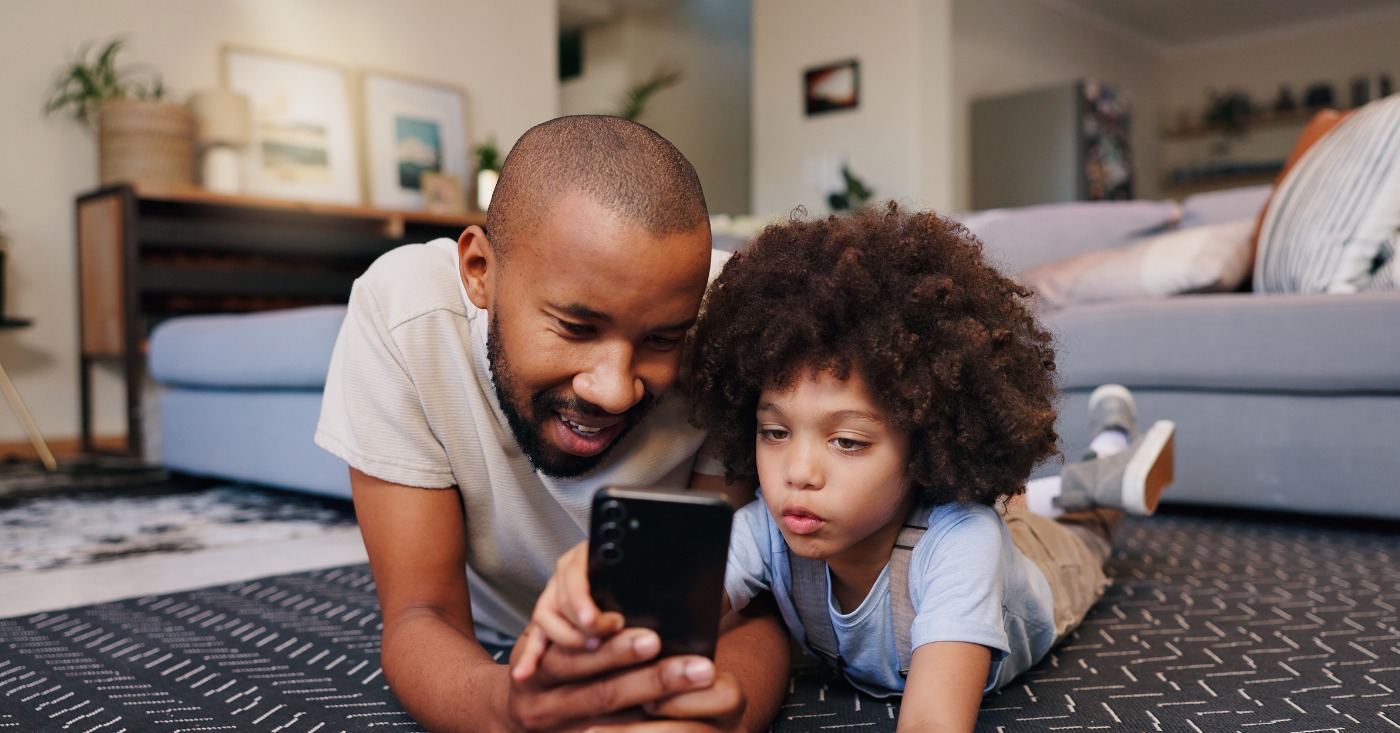
Gov. Gavin Newsom has signed a new California law targeting addictive social media features that can keep children scrolling, giving the state new authority to restrict how platforms engage young users.
AB 1709, authored by Assemblymember Josh Lowenthal (D-Long Beach) prohibits social media companies from giving children under 16 access to personalized feeds, including “For You” pages, as well as other features designed to maximize screen time, such as infinite scrolling and video autoplay.
The law does not prevent children under 16 from using social media. Instead, platforms must deactivate the covered features for those users.
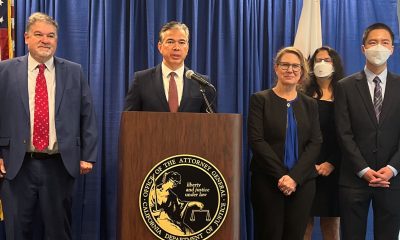
“This is about actually addressing the problem, the scrolling, the algorithms,” Newsom said Sept. 10 during a bill-signing event in the San Francisco Bay Area.
Newsom said California’s approach focuses on the features that can encourage excessive social media use rather than taking the broader step of banning teenagers from the platforms altogether. He contrasted the measure with restrictions adopted in Australia and Malaysia that prevent teenagers from accessing social media or creating accounts.
The law comes amid growing concerns about the impact of social media on children’s mental health and well-being. California lawmakers have increasingly focused on the design and business practices of technology platforms as part of efforts to protect young users.
AB 1709 is one of 13 youth online safety and privacy laws Newsom signed Sept.10. The package also includes measures regulating AI chatbots, increasing potential penalties for technology companies and establishing additional protections for children using digital services.
Lowenthal said the new rules represent a shift toward greater accountability for technology companies.
“We want oversight. We want accountability. We’re done asking nicely, and we’re demanding that there is a duty of care across these platforms — a duty that puts the wellness of our children ahead of profits,” Lowenthal said.
The law builds on California’s broader effort to regulate children’s online experiences. A separate law, AB 1043, will require users to provide their birth dates when setting up new phones or laptops beginning in January, with device manufacturers required to share users’ ages with apps.
Some youth online safety advocates have supported AB 1709 as a more targeted alternative to outright social media bans. Others have warned that the restrictions could make it harder for some LGBTQ+ young people to find support online and questioned how effectively age requirements can be enforced.


Mayor Barbara Lee Holds Special State of the City Address in Deep East Oakland

Practitioners of African Traditional Spirituality Offer Ancestral Reverence Ritual Oct. 31

It’s Time to Lose Weight Before the Holidays

Trader Vic’s Returns to Its Oakland Roots

Oakland Coal Terminal Backed by Trump Would Be Bigger, Dirtier Than Promised, Says Report

Opponents Smear Effective African American Transit Director as Election Nears

Oakland Post: Week of October 14 – 20, 2026

OP-ED: The Black Church Writes AI’s Next Chapter

OP-ED: The Black Church Writes AI’s Next Chapter

WCCUSD Joins Statewide Organic School Food Purchasing Cooperative

Democrats, Community Groups Back Measure EE to Change How Oakland Is Governed

Four Tips to Help You Plan a Holiday “Staycation”

Veterans Housing Project Proposed for South Richmond
PRESS ROOM: Transformative Justice Coalition 2026 Voting Rights Champion Awards Reception ‘Yesterday Is Today: The Battle For Voting Rights

Mayor Lee Delivers 2026 State of the City Address: ‘Oakland Continues to Be on the Move’

Misnamed ‘Parent’ PAC Seeks to Influence Oakland School Board Elections

Poll: Becerra Widens His Lead Over Hilton; Californians Split on Wealth Tax

Listening as a Lifeline: A Doula’s Witness to Black Maternal Health

Oakland Post: Week of September 9 – 15, 2026

County Office of Education Says OUSD Finances Are Getting Healthier, Materially Stronger

Richmond Tiny House Village Farm & Garden Set to Open Gates on Sept. 26

Mayor Lee Announces $1 Million Kaiser Permanente Grant for Pilot Program to Address Homelessness, Clean Up Public Spaces throughout Oakland

Latest Massacre in Haiti Reveals Cruelty U.S. Deportations

Zakiya Jendayi Arrested, Locked Out of Home by Sheriff’s Deputies

OPINION: Nolan Wells’ Death One of Several Signifying Racial Terror Lives on in U.S. South

Doulas Are Helping Black California Moms Navigate Pregnancy–Even as High Mortality Rates Persist

BLACspace Cooperative Invites Bay Area to Experience Oakland’s Black Cultural Ecosystem Through a BLAC Map Tour + Party

Oakland Post: Week of September 16 – 22, 2026

Oakland People’s Arms Embargo Coalition Demands End to Military Shipments Thru Oakland

Democratic Clubs Interview Candidates for Oakland School Board

The Conversation With Al McFarlane 6/23/26

Media Monday 6/22/26

LIVE! ASK ALMA! — TUES. 6.23.26 7PM EST

Car Buying Secrets: 4 Hidden Checks Before You Sign!

Is This 550 HP Charger Worth YOUR Money? AutoNetwork Review

Celebrating Juneteenth – Frederick Douglass on education and resistance

LIVE! — ASK ALMA! — TUES. 6.19.26 7PM EST

Hyundai Ioniq 5 Parking, Safety, and 360 View #shorts

2025 Ioniq 5 New Wiper & Powerful Performance! #shorts

Electric SUV Range: Is 259 Miles Enough? #shorts

EV Charging: How Fast Can You Charge an Electric Vehicle? #shorts

Biometric Cooling… Messaging Seats…Come on! 2025 Infiniti QX80 Autograph 4WD

Charged Up: Witness the Magic of a Fully Electric Car! #shorts

Range Rover Sport PHEV Included…: See What’s Inside This Luxury SUV! #shorts

Invisible Hood View: Perfect Parking with X-Ray Vision! #shorts
-
 Economy4 weeks ago
Poll: Becerra Widens His Lead Over Hilton; Californians Split on Wealth Tax
-
 Black History3 weeks ago
Listening as a Lifeline: A Doula’s Witness to Black Maternal Health
-
 Business4 weeks ago
County Office of Education Says OUSD Finances Are Getting Healthier, Materially Stronger
-
 Lead Story3 weeks ago
Zakiya Jendayi Arrested, Locked Out of Home by Sheriff’s Deputies
-
 Black History4 weeks ago
Doulas Are Helping Black California Moms Navigate Pregnancy–Even as High Mortality Rates Persist
-
 Art4 weeks ago
BLACspace Cooperative Invites Bay Area to Experience Oakland’s Black Cultural Ecosystem Through a BLAC Map Tour + Party
-
 Business4 weeks ago
From Historic Memories to New Possibilities: Oakland Celebrates Coliseum 60
-
 Community4 weeks ago
Asm. Corey Jackson Announces Launch of 24-Hour Childcare in His District
