
Business
Discover What IT Technicians Do: A Complete Guide
BLACKPRESSUSA NEWSWIRE — What do IT technicians do? Learn about their essential roles and responsibilities within businesses. Discover why they are irreplaceable!


What do IT technicians do? IT technicians keep modern workplaces running by installing, maintaining, troubleshooting, and supporting the technology people rely on every day. They solve hardware, software, network, and security issues while helping organizations stay productive, connected, and protected from costly downtime.
A new employee sits down for their first day of work, only to find their laptop won’t connect to the company network. Minutes before an important client presentation, an IT technician diagnoses the issue, restores access, and keeps the day on track.
With an average of 317,700 openings projected each year in the field, IT technicians have become the behind-the-scenes problem solvers who help businesses, schools, healthcare facilities, and government organizations operate without interruption.
What Are the Main IT Technician Responsibilities?
IT technicians are responsible for keeping an organization’s technology systems operating efficiently and securely. Their work supports employees, customers, and business operations by ensuring computers, networks, software, and connected devices function as expected.
A large portion of the job involves responding to technical issues. When users experience problems, IT technicians investigate the cause and implement solutions. Quick response times can help reduce downtime and prevent disruptions that affect productivity.
IT technicians also install and configure new equipment. This may include:

- Setting up computers for new employees
- Deploying software updates
- Connecting printers
- Configuring mobile devices
- Maintaining network equipment
As businesses adopt new technologies, technicians often help manage transitions and train users on unfamiliar systems.
Preventive maintenance is another important responsibility. Rather than waiting for problems to occur, technicians:
- Monitor system performance
- Install security patches
- Perform backups
- Identify potential risks
Troubleshooting Tips for IT Technicians
While technology issues can vary widely, following a consistent process often leads to faster and more accurate solutions. A structured approach also helps reduce guesswork and prevents small problems from becoming larger disruptions.
One of the most effective troubleshooting habits is gathering as much information as possible before making changes. Technicians should ask users detailed questions about:
- Error messages
- Recent updates
- Unusual system behavior
- When the issue first appeared
Accurate information can significantly narrow down potential causes.
It is also important to start with the simplest explanations. The following are often responsible for problems that initially appear complex:
- Loose cables
- Incorrect settings
- Expired passwords
- Outdated software
- Accidental user changes
- Device restart requirements
- Misconfigured security settings
Checking these common causes first can save time and avoid unnecessary repairs.
Testing one solution at a time helps technicians identify what actually resolved the issue. Making multiple changes simultaneously can make it difficult to determine the root cause.
IT Technician Skills: Customer Service
Many people associate IT technicians with computers and networks, but customer service is a major part of the job. Technicians regularly assist users who may be frustrated, confused, or unable to complete important tasks because of technical problems. The ability to remain calm and professional while resolving issues can significantly improve the support experience.
Strong communication is among the essential IT skills technicians need because technical solutions are only effective if users understand them. Technicians often explain complex topics in simple language, provide step-by-step guidance, and answer questions from people with varying levels of technical knowledge. Clear communication helps build trust and reduces misunderstandings.
Customer service also involves active listening. Before a problem can be solved, technicians must gather accurate information about what the user is experiencing. Asking thoughtful questions and paying attention to details often helps identify the root cause more quickly.
Preparing For Challenges
IT technicians regularly face situations that require quick thinking, adaptability, and strong problem-solving abilities. Technology environments are constantly changing, and new software, devices, security risks, and user demands can introduce unexpected challenges. Preparing for these situations helps technicians respond more effectively when problems arise.
Continuous learning is one of the best ways to stay prepared. Many technicians invest time in training, certifications, industry publications, and hands-on practice to keep their skills current. Understanding emerging technologies can make it easier to support new systems and troubleshoot unfamiliar issues.
Time management is equally important. Technicians often juggle multiple support requests while handling urgent problems that require immediate attention. Prioritizing tasks based on business impact helps ensure critical issues are addressed quickly without neglecting routine responsibilities.
Preparation also involves developing a proactive mindset. The following can reduce the likelihood of major disruptions:
- Regular system maintenance
- Software updates
- Security monitoring
- Detailed documentation
Frequently Asked Questions
Can IT Technicians Work Remotely?
Many IT technicians can work remotely, particularly when the daily tasks of IT technicians focus on software support, user assistance, network monitoring, or cloud-based systems. Modern remote access tools allow technicians to diagnose problems, install updates, configure settings, and assist users without being physically present.
Some IT support roles still require on-site work, especially when the following are involved:
- Hardware repairs
- Equipment installations
- Network cabling
- Server maintenance
- Physical security system support
- Network switch configuration
- Backup hardware installation
As a result, many organizations use hybrid support models where technicians split their time between remote assistance and in-person technical work.
What Are the Busiest Times of Year for IT Technicians?
The busiest times of year for IT technicians often depend on the organization. Major software updates, hardware refreshes, company growth initiatives, and cybersecurity projects can all create spikes in support requests.
Many technicians experience higher demand during the following periods:
- New employee onboarding seasons
- Back-to-school periods for educational institutions
- Holiday shopping seasons for retailers
- End-of-year system upgrades and audits
- Large software or operating system rollouts
- Office relocations and expansions
- Tax season for financial organizations
- Post-holiday equipment deployments
What Security Threats Do IT Technicians Deal With Most Often?
IT technicians regularly encounter security threats that can disrupt operations, compromise sensitive information, or create costly downtime for organizations. Their role often involves identifying risks early, responding to incidents, and helping users follow safe technology practices.
Some of the most common threats include:
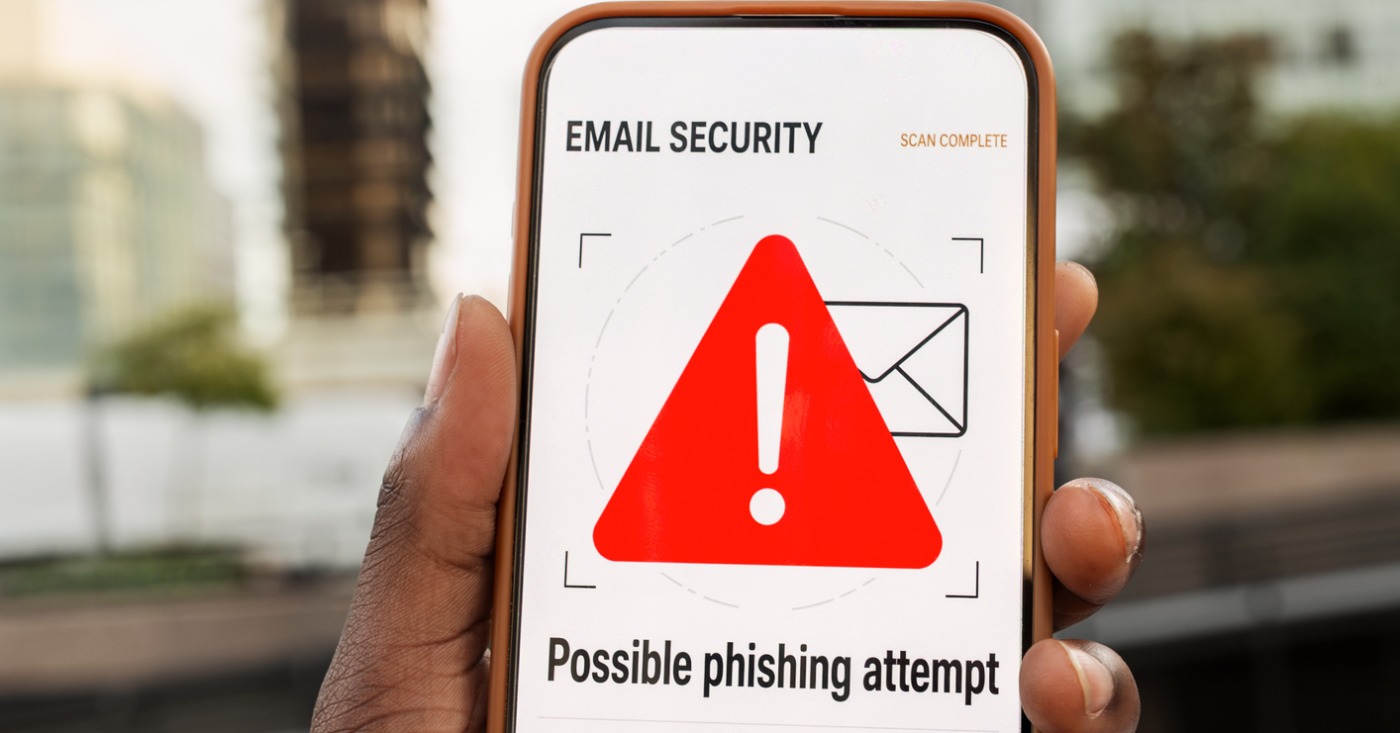
- Phishing emails
- Ransomware attacks
- Malware infections
- Weak passwords
- Unauthorized access attempts
Technicians also monitor for suspicious network activity and devices that fail to meet security standards.
Many security incidents begin with simple mistakes, such as clicking a malicious link or downloading an unsafe attachment. IT technicians often combine technical safeguards with user education to reduce risks.
What Do IT Technicians Do?
What do IT technicians do? They have a lot to manage in all parts of any tech operation, including troubleshooting and customer service.
Need more help planning your next step? Check out some of our other useful posts today.






Business
Chase Launches Fraud & Scam Prevention Month
JPMorganChase is launching Chase Fraud & Scam Prevention Month this November to help consumers protect their personal information and finances. As the holiday season approaches, the nationwide initiative provides education on avoiding sophisticated tactics used by criminals, such as phishing and impersonation scams. The program features free workshops hosted by community managers across the lower 48 states and builds on existing financial wellness efforts that have reached over one million customers. Read more to learn how these new resources and technologies aim to stop financial crimes.
New initiative builds on Chase’s longstanding commitment to fraud and scam prevention education nationwide.
NEW YORK, Oct. 19, 2026 – Scams can happen to anyone. That’s why Chase is dedicating November to helping consumers protect themselves.
As consumers prepare for the holiday season, criminals are increasingly using sophisticated tactics to pressure people into sending money, sharing personal information and making decisions they’ll later regret.
This November, JPMorganChase is launching Chase Fraud & Scam Prevention Month, a nationwide consumer education initiative designed to help people recognize common scams, avoid in-the-moment mistakes and better protect their money and personal information during the holiday season.
The initiative builds on Chase’s longstanding efforts to help consumers navigate fraud and scams through education, awareness and community-based programming. Through its financial wellness initiatives, Chase has served more than 1 million customers and continues to host more than 1,000 fraud and scam prevention workshops annually across the country.
Throughout November, Chase Community Managers will host free educational workshops in all lower 48 states, as Chase continues to expand digital resources and consumer awareness efforts focused on helping people spot scams and take practical steps to protect themselves. Programming will address scams commonly seen during the holiday season, including impersonation scams, package delivery phishing attempts, gift card scams, fake online deals and fraudulent charity solicitations.
“Scammers are constantly adapting their tactics, making education and awareness more important than ever,” said Jennifer Roberts, CEO of Consumer Banking at Chase. “For years, JPMorganChase has invested in helping consumers recognize scams, understand warning signs and feel empowered to protect themselves. Chase Fraud & Scam Prevention Month builds on that commitment by providing practical guidance that can help people make safer decisions during the holiday season.”
Fraud and scam prevention remains a key component of Chase’s broader commitment to consumer financial wellness. Through educational workshops, local partnerships and community outreach, Chase helps communities build financial confidence and stay informed about evolving fraud and scam threats. The firm also works closely with law enforcement to share scam trends and insights and help drive more effective interventions as agencies work to combat financial crime.
Ongoing Fraud and Scam Prevention Efforts
Beyond consumer education, Chase continues to invest in technology, partnerships and customer protections designed to help prevent fraud and scams before they occur.
Scam prevention is embedded throughout the customer experience, from account opening and authentication to payments and customer service interactions. Chase continues to strengthen protections across the customer journey through targeted warnings, risk-based interventions, behavioral science-informed approaches and frontline employee training. These efforts help employees identify potential scams, recognize warning signs and better support customers who may be at risk of fraud or scams.
In addition, the firm continues to invest in next-generation security tools, including expanded use of passkeys and other authentication technologies designed to help defend against phishing, social engineering and account takeover attempts, as well as Trusted Contact Person, which allows customers to designate a trusted adult who may be notified of certain transactions to help guard against potential fraud or financial exploitation.
Earlier this year, JPMorganChase also announced nearly $14 million in philanthropic investments focused on consumer awareness, real-time prevention and victim support.
For more information about Chase’s fraud and scam prevention efforts and tips, visit Chase.com/security and attend a local fraud and scam prevention workshop.
About Chase
Chase is the U.S. consumer and commercial banking business of JPMorgan Chase & Co. (NYSE: JPM), a leading financial services firm based in the United States of America with operations worldwide, assets of $5 trillion and $375 billion in stockholders’ equity as of June 30, 2026. Chase serves more than 87 million consumers and 7.5 million small businesses with a broad range of financial services, including personal banking, credit cards, mortgages, auto financing, investment advice, small business loans and payment processing. Customers can choose how and where they want to bank: 5,100 branches in 48 states and the District of Columbia, 14,500 ATMs, mobile, online and by phone. For more information, go to chase.com.
Business
Fate of Bay Area Public Transit Hinges on Regional Transit Measure
Voters in five Bay Area counties will decide the fate of a regional sales tax measure on Nov. 3 that could determine the future of local public transportation. If approved, the Regional Transit Measure would implement new sales taxes in Alameda, Contra Costa, San Mateo, Santa Clara, and San Francisco counties starting in 2027. The funding aims to address massive financial deficits facing agencies like BART and Muni, providing nearly $1 billion annually to prevent station closures and service cuts. Read more.


On Nov. 3, voters in five Bay Area counties will vote on a regional sales tax measure that, if it fails, could prompt local transit agencies to close train stations and cut bus service.
If passed, the Regional Transit Measure, or RTM, will impose a half-cent sales tax in Alameda, Contra Costa, San Mateo, and Santa Clara counties as well as a one-cent sales tax in San Francisco starting April 2027.
The tax would raise an estimated $980 million annually for 14 years to fund the region’s public transit agencies, which are struggling with massive financial deficits. Revenue would go to BART, Muni, Caltrain, Alameda-Contra Costa Transit, the Santa Clara Valley Transportation Authority, the San Francisco Bay Ferry, Golden Gate Transit, and other transportation agencies operating in the five counties.
In California, a regional measure for a new sales tax would normally require a two-thirds majority approval if the state Legislature directly places it on a ballot. Transit advocates, however, chose to collect signatures to make the sales tax a citizen-initiated ballot measure that would lower the threshold to a simple majority of votes cast across the five counties.
The RTM received more than 241,000 signatures, exceeding the 186,000-signature threshold required to qualify for the ballot.


To enlarge your view of this issue, use the slider, magnifying glass icon or full page icon in the lower right corner of the browser window.




Oakland Probate Dispute Raises Questions About Court-Ordered Property Transfer and Missing Notice

‘Raising a Child Shouldn’t Break the Bank’: California Is Helping Families Save on Childcare Costs

Secretary of State Shirley Weber Pushes Back Against DOJ Demands Over California Voter Rolls

Chase Launches Fraud & Scam Prevention Month

U.S. Rep. Simon Secures More Than $1 Million for Public Safety at Mills College at Northeastern University Oakland, Surrounding Neighborhood

COMMENTARY: Valarie Bachelor and Jennfier Brouhard are Excellent School Board Members and Deserve to Be Reelected

Oakland Faith Leaders Gather to Revitalize the Interdenominational Ministerial Alliance of Oakland

Statue of ‘La Catrina,’ a Beloved Symbol of Dia de Los Muertos, Visits Oakland

Oakland Honors 60 Years of the Black Panther Party at the All Power to the People Gala

Fate of Bay Area Public Transit Hinges on Regional Transit Measure

Why AC Transit Director Joel Young is My Choice for AC Transit Board Ward 3

Oakland Post: Week of October 21 – 27, 2026

Mayor Barbara Lee Holds Special State of the City Address in Deep East Oakland

Practitioners of African Traditional Spirituality Offer Ancestral Reverence Ritual Oct. 31

It’s Time to Lose Weight Before the Holidays

Misnamed ‘Parent’ PAC Seeks to Influence Oakland School Board Elections

Listening as a Lifeline: A Doula’s Witness to Black Maternal Health

Poll: Becerra Widens His Lead Over Hilton; Californians Split on Wealth Tax

County Office of Education Says OUSD Finances Are Getting Healthier, Materially Stronger

Oakland Post: Week of September 9 – 15, 2026

Doulas Are Helping Black California Moms Navigate Pregnancy–Even as High Mortality Rates Persist

Mayor Lee Announces $1 Million Kaiser Permanente Grant for Pilot Program to Address Homelessness, Clean Up Public Spaces throughout Oakland

Richmond Tiny House Village Farm & Garden Set to Open Gates on Sept. 26

Zakiya Jendayi Arrested, Locked Out of Home by Sheriff’s Deputies

OPINION: Nolan Wells’ Death One of Several Signifying Racial Terror Lives on in U.S. South

Latest Massacre in Haiti Reveals Cruelty U.S. Deportations

BLACspace Cooperative Invites Bay Area to Experience Oakland’s Black Cultural Ecosystem Through a BLAC Map Tour + Party

Democratic Clubs Interview Candidates for Oakland School Board

Oakland Post: Week of September 16 – 22, 2026

Oakland People’s Arms Embargo Coalition Demands End to Military Shipments Thru Oakland

The Conversation With Al McFarlane 6/23/26

Media Monday 6/22/26

LIVE! ASK ALMA! — TUES. 6.23.26 7PM EST

Car Buying Secrets: 4 Hidden Checks Before You Sign!

Is This 550 HP Charger Worth YOUR Money? AutoNetwork Review

Celebrating Juneteenth – Frederick Douglass on education and resistance

LIVE! — ASK ALMA! — TUES. 6.19.26 7PM EST

Hyundai Ioniq 5 Parking, Safety, and 360 View #shorts

2025 Ioniq 5 New Wiper & Powerful Performance! #shorts

Electric SUV Range: Is 259 Miles Enough? #shorts

EV Charging: How Fast Can You Charge an Electric Vehicle? #shorts

Biometric Cooling… Messaging Seats…Come on! 2025 Infiniti QX80 Autograph 4WD

Charged Up: Witness the Magic of a Fully Electric Car! #shorts

Range Rover Sport PHEV Included…: See What’s Inside This Luxury SUV! #shorts

Invisible Hood View: Perfect Parking with X-Ray Vision! #shorts
-
 Black History3 weeks ago
Listening as a Lifeline: A Doula’s Witness to Black Maternal Health
-
 Economy4 weeks ago
Poll: Becerra Widens His Lead Over Hilton; Californians Split on Wealth Tax
-
 Business4 weeks ago
County Office of Education Says OUSD Finances Are Getting Healthier, Materially Stronger
-
 Lead Story3 weeks ago
Zakiya Jendayi Arrested, Locked Out of Home by Sheriff’s Deputies
-
 Art4 weeks ago
BLACspace Cooperative Invites Bay Area to Experience Oakland’s Black Cultural Ecosystem Through a BLAC Map Tour + Party
-

 Business4 weeks ago
From Historic Memories to New Possibilities: Oakland Celebrates Coliseum 60
-

 Community4 weeks ago
Asm. Corey Jackson Announces Launch of 24-Hour Childcare in His District
-

 Black History4 weeks ago
IN MEMORIAM: The Rev. Leon “Sonny” Clark, Longtime Orange County Pastor and Community Leader, Dies at 72
