
Business
PRESS ROOM: The reading is easy at Midway with grand openings of Ink by Hudson
CHICAGO CRUSADER — The Chicago Department of Aviation (CDA) and Midway Partnership cut ribbons for the newest retail offerings taking off at Midway International Airport.

Two new locations provide full-service literary and gift offerings

By The Chicago Crusader
The Chicago Department of Aviation (CDA) and Midway Partnership cut ribbons for the newest retail offerings taking off at Midway International Airport.
Ink by Hudson stores on Concourses A and B are the 16th and 17th concession locations to open at the airport as part of the 70 new food and retail brands arriving at the airport. They are part of a three-year, $75 million concessions expansion that is transforming the concessions lineup for the first time in 20 years, offering travelers and families more reasons to choose Midway than ever before.
“Ink by Hudson provides passengers with the best reading destination and a literary oasis at the airport,” said Jamie L. Rhee, Commissioner, CDA. “We welcome the variety of books, stationery and unique gifts that the Ink stores offer to the discerning traveler.”
While built around a core offering of books, and the Hudson Group’s decades-long passion for bookselling, Ink by Hudson’s concept emphasizes an eclectic collection of toys, gifts, necessities, and indulgences, from timeless quality pieces to pop culture phenomena.
The concessions upgrade is part of the ongoing Midway Modernization Program (MMP) that is improving the Midway passenger experience by expanding concession options, expanding the security checkpoint, and enhancing the terminal parking garage.
The MMP is a nearly $400 million investment in the future of Midway International Airport. It’s the largest improvement program at the airport in nearly 20 years and will upgrade travelers’ experience flying from, to, or through Midway. The MMP is expected to create over 2,500 jobs and includes amenities such as updated and expanded concessions, a vastly improved passenger screening experience, and improved parking facilities.
Today’s celebrations at Midway follow the recent openings of new retail and dining offerings throughout the airport, bringing the number to 17 out of a total of 70 to be established by Midway Partnership by 2020. The new Concourse A Food Hall features many unique, locally-inspired restaurants, including Arami Sushi, Billy Goat Tavern, Woodgrain Neapolitan Pizza, Nuts on Clark, Reilly’s Daughter and an iStore. Other hometown brands include BIG & little’s, Big Shoulders Coffee and PorkChop BBQ, and are bringing new menu choices and amenities to travelers for the first time in nearly two decades.
Later this year, Midway will welcome more local favorites to its expanding restaurant concessions lineup, including Hubbard Inn and the return of Harry Caray’s.
For more information about the Midway Modernization Program, visit www.MDWmod.com.
About the Chicago Department of Aviation (CDA):
The Chicago Department of Aviation (CDA) is self-supporting, using no local or state tax dollars for operations or capital improvements at O’Hare and Midway International Airports. Chicago’s airports offer service to over 260 nonstop destinations worldwide, including 47 foreign countries, combined. Together, Chicago’s airports serve more than 100 million passengers each year, and generate approximately $60 billion in annual economic activity for the region. Visit www.flychicago.com to learn more about the Chicago Department of Aviation.
About Midway Partnership
Midway Partnership is a joint venture comprised of some of the top companies in the aviation industry – Vantage Airport Group, SSP America, and Hudson Group – tasked with transforming the dining and shopping options at Midway Airport. Midway Partnership will invest $75 million over the next three years to bring more than 70 dining and retail brands to Midway by 2020, create 250 construction jobs and 1,400 permanent new jobs and increase the total concessions area from approximately 40,000 square feet to more than 70,000 square feet. Our work will position Midway to be a leading international airport in the coming years, generate tens of millions of dollars for Chicago residents and the city, and improve the travel experiences of the 22 million passengers annually. For more information about Midway Partnership, visit www.midwaypartnership.com.
This article originally appeared in the Chicago Crusader.









Business
Trader Vic’s Returns to Its Oakland Roots
Trader Vic’s, the internationally recognized brand and birthplace of the original Mai Tai, has officially returned to its roots in Oakland. Originally founded in 1934 on San Pablo Avenue before moving to Emeryville, the hospitality giant has launched Trader Vic’s Outpost at Oakland International Airport’s Terminal 2. The new full-service location offers travelers breakfast, lunch, dinner, and cocktails in a 108-seat space designed to celebrate the city’s status as a top national food destination. Visit the website to read more.

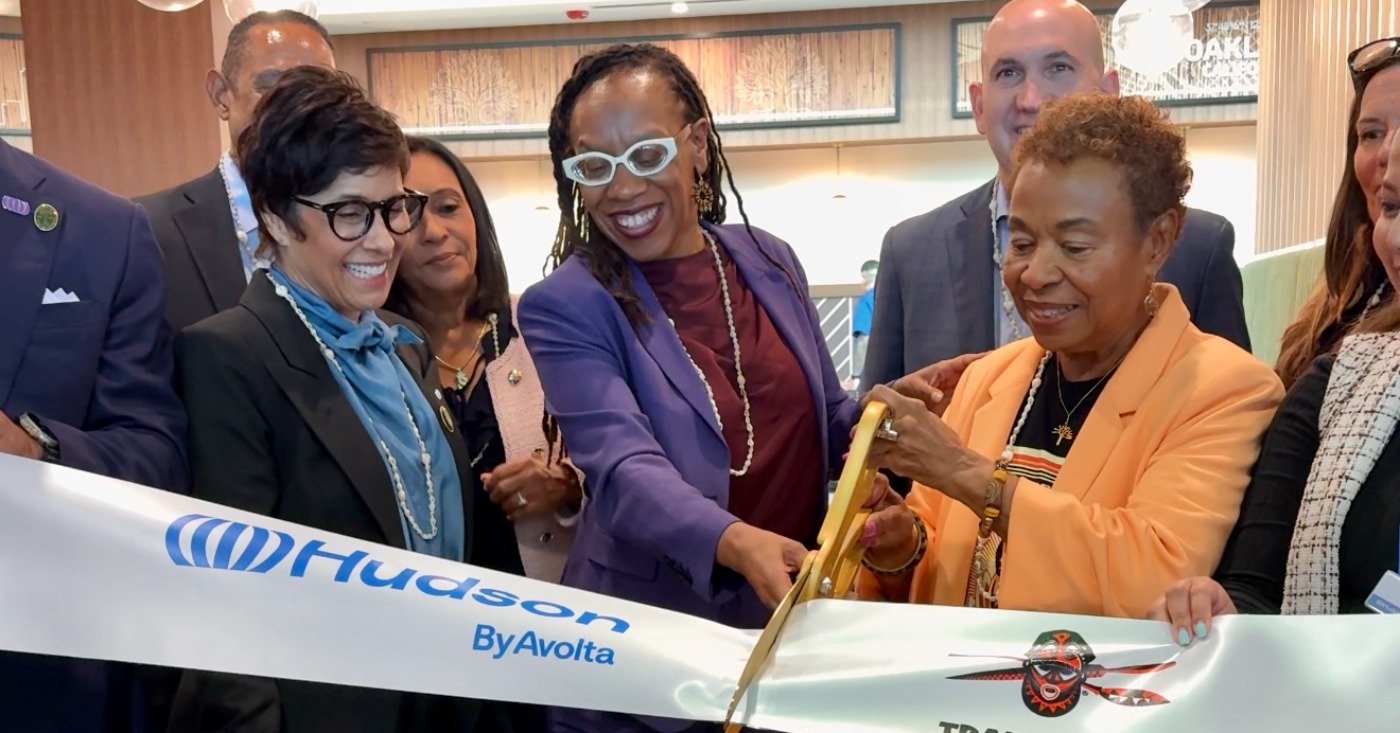
Oakland has always been a city of innovators, entrepreneurs, visionaries, and world-class hospitality. Trader Vic’s—the birthplace of the original Mai Tai – first opened in Oakland back in 1934 on San Pablo Avenue, long before becoming an internationally recognized global brand.
More than 50 years after it moved to Emeryville, Trader Vic’s is returning to its roots. Oakland Mayor Barbara Lee touts the return as another victory for Oakland.
“My administration is deeply committed to backing businesses like Trader Vic’s and Plum Market—partners who invest in our city, uplift our local workforce, and support thousands of local jobs,” Lee said.
The latest Trader Vic’s – called Trader Vic’s Outpost – is located at the Oakland International Airport in Terminal 2 near Gate 25 and had a soft opening in August.
With 108 dining seats, 28 bar seats and a counter for standing-room customers, travelers from around the world can have a full-service restaurant and bar experience or take-out for those with planes to catch.
Open from 6 a.m. to 10 p.m., breakfast, lunch, dinner, cocktails will be served.
Trader Vic’s returning to its roots confirms Condé Nast’s decision to name Oakland the #1 Food City in America two years in a row, and just earlier this month, ranked Oakland #6 on their list of Best Cities in the U.S.!
“The opening at OAK is incredibly meaningful for us,” said Rhett Rosen, CEO of Trader Vic’s Hospitality Group, according to the company website. “Trader Vic’s was born in the Bay Area, and this new location gives us the chance to welcome travelers with a taste of that original spirit before they take off. It brings together everything people love about Trader Vic’s — great cocktails, flavorful food, warm hospitality and a little sense of escape — in a place that connects Oakland to the world.”
Trader Vic’s is an Oakland institution and one of the region’s most recognizable hospitality brands, said Port of Oakland Director of Aviation Craig Simon on the web site.
“Travelers are increasingly seeking dining options that are memorable, locally rooted, and uniquely representative of the communities they are visiting. Trader Vic’s delivers all of that while providing a high-quality food and beverage experience for our guests. We are proud to welcome this hometown favorite to Terminal 2,”
The original Trader Vic’s in Oakland:
In 1934, with an investment of $500, Bergeron opened his initially small restaurant at 65th Avenue and San Pablo, serving comfort foods for lunch and dinner and beers and whiskeys. As his clientele grew, so did his restaurant, expanding space and menu options. After visiting this establishment, famed San Francisco Chronicle columnist Herb Caen proclaimed that the “best restaurant in San Francisco is in Oakland.”
There were as many as 25 franchises worldwide, including the U.S. Trader Vic’s is now headquartered in Martinez.

Business
Oakland Coal Terminal Backed by Trump Would Be Bigger, Dirtier Than Promised, Says Report
A recent feasibility study commissioned by potential investors says an Oakland coal terminal backed by President Donald Trump could export 13 million tons a year — three times the amount estimated in an earlier environmental review. Surprisingly, the report also contradicts devel
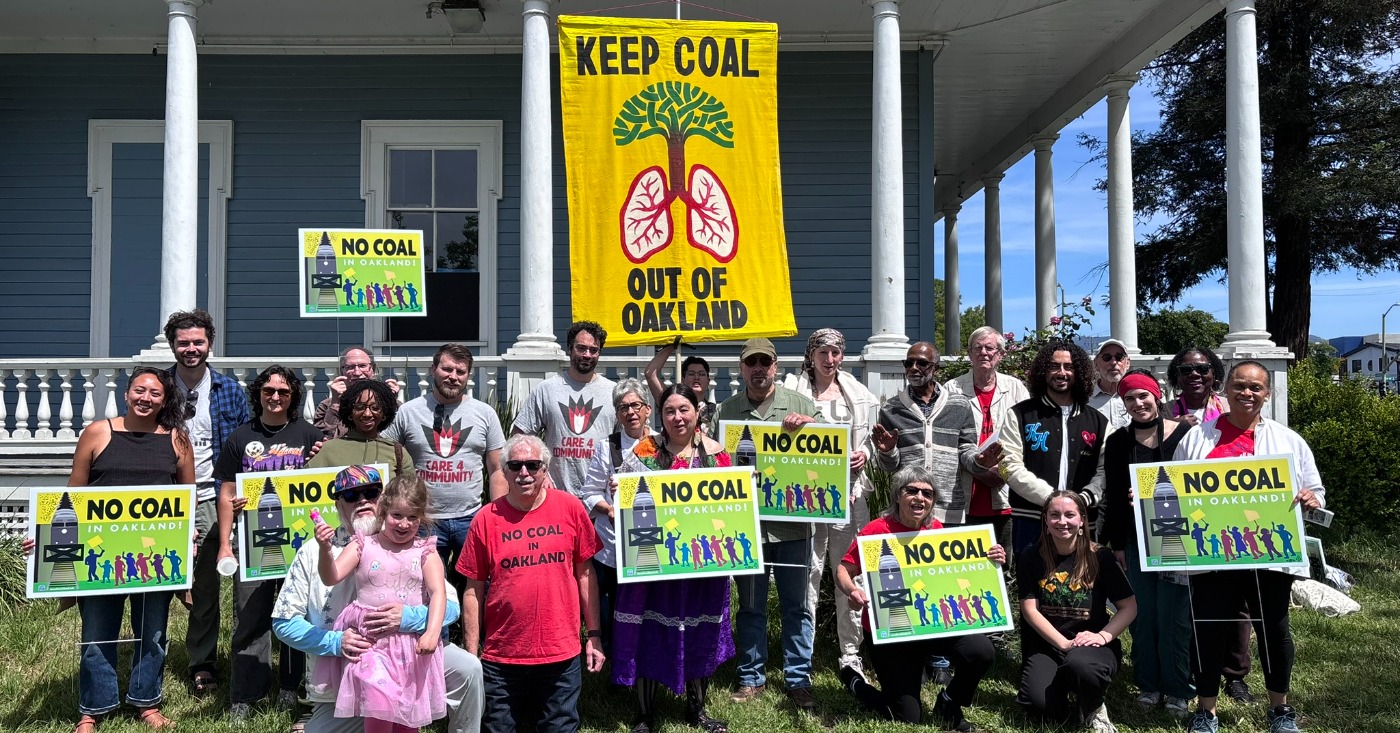
A recent feasibility study commissioned by potential investors says an Oakland coal terminal backed by President Donald Trump could export 13 million tons a year — three times the amount estimated in an earlier environmental review.
Surprisingly, the report also contradicts developers’ and project advocates’ repeated pledges that the coal would be stored in a covered terminal. Instead, the millions of tons of coal shipped annually from inland states to the West Gateway terminal in Oakland would be stored in “two open-air bunkers,” with about 150,000 tons of coal per stockpile, before being sent overseas, according to the recent report cited by the L.A. Times. (https://ruic.utah.gov/wp-content/uploads/2026/09/Port-Study-RUIC-Bulk-Commodity-Ocean-Terminals-Study.pdf)
Residents and clean air advocates have long expressed concerns that coal dust would worsen pollution in West Oakland and throughout the East Bay.
The proposed site of the Oakland Bulk and Oversized Terminal (OBOT) is located at the former Army base near the Port of Oakland, which developer Phil Tagami has been trying for years to turn into a shipping terminal despite determined community opposition.
Trump announced a $75-million investment in the project in June, about a third of its estimated cost. The new terminal would be the largest coal export site on the West Coast, transporting coal to Japan, South Korea, Taiwan, Vietnam and Malaysia, according to the Trump administration.

Opponents say a new terminal would undermine years of progress cleaning up the air in West Oakland, which has a history of disproportionate pollution and high asthma rates due to its proximity to the port and other industry.
According to No Coal in Oakland organizer Ted Franklin, who has been active for 11 years in the fight to stop the coal terminal, the report indicates that investors may be looking for a cheaper way to build the terminal.
“We were shocked but not surprised” by the report, Franklin said. “Basically, it seems that the plan now is to store open piles of coal, which is a less expensive project than creating a completely enclosed facility.”
The threats that the project poses are real, but it faces a lot of economic and legal hurdles, he said.
Coal production is in permanent decline worldwide, he said, wondering who was going to “invest money in an industry that has no future.”
Further, the project has not yet attracted big investors. “There’s no bank, no financing, no financial institution backing this,” he continued.
A major legal hurdle facing the project is the passage of Assemblymember Mia Bonta’s bill, AB 40, the Community-First Coal Review Act, signed into law by Gov. Gavin Newsom on Sept. 30.
The law requires developers of large-volume bulk coal facilities to complete a full Environmental Impact Report (EIR) under the California Environmental Quality Act (CEQA) before they can operate.
The law was specifically designed to block or delay the coal terminal project.
The report to potential developers was produced by consulting groups Norda Stelo and Wood Mackenzie in July and released this month. It was commissioned by the Rural Utah Infrastructure Coalition, made up of eight Utah counties that are considering investing about $43 million into the terminal to receive Utah coal.
The consultants produced their findings after visiting Oakland, examining engineering documents and holding discussions with Savage Cos., a Utah-based transport and logistics company selected to operate the facility
Research has shown that coal terminal operations can be dangerous to public health. The ports of Los Angeles and Long Beach moved away from open-air coal and petroleum coke storage three decades ago.
The report says that the site could process 12 million metric tons, or 13.2 million tons, of coal each year, three times more than the terminal’s approved environmental impact report from 2002 and its 2012 addendum. Neither document mentions coal specifically, but rather bulk commodities.
The coal arriving in Oakland could also be dirtier then had been previously stated, according to the report. Project officials previously said the terminal would handle only high-grade western bituminous coal from Utah, but the recent report says it will also handle Powder River Basin coal from Wyoming and Montana, known to be much dustier.
Nor does the report mention plans to cover the rail cars to prevent pollution, though project officials previously promised they would only utilize coal transported in covered rail cars.
“It appears the developers want to build something much bigger and more polluting than anything they previously revealed, either in court or to the West Oakland community,” said Colin O’Brien, deputy managing attorney at the nonprofit Earthjustice, speaking to the L.A. Times.
The report indicates that the project may be much more expensive and take longer to complete than anticipated. The Energy Department estimates the terminal will cost about $231 million, but the report places the price at between $430 million and $625 million.
The terminal will take 53 months to complete according to the report, significantly longer than Trump’s promise of exports beginning in 2028.
Ted Franklin’s column, “Utah Study Blesses Investment in Oakland Coal Terminal but Leaves Key Questions Unanswered” is available at https://nocoalinoakland.info/utah-study-blesses-investment-in-oakland/
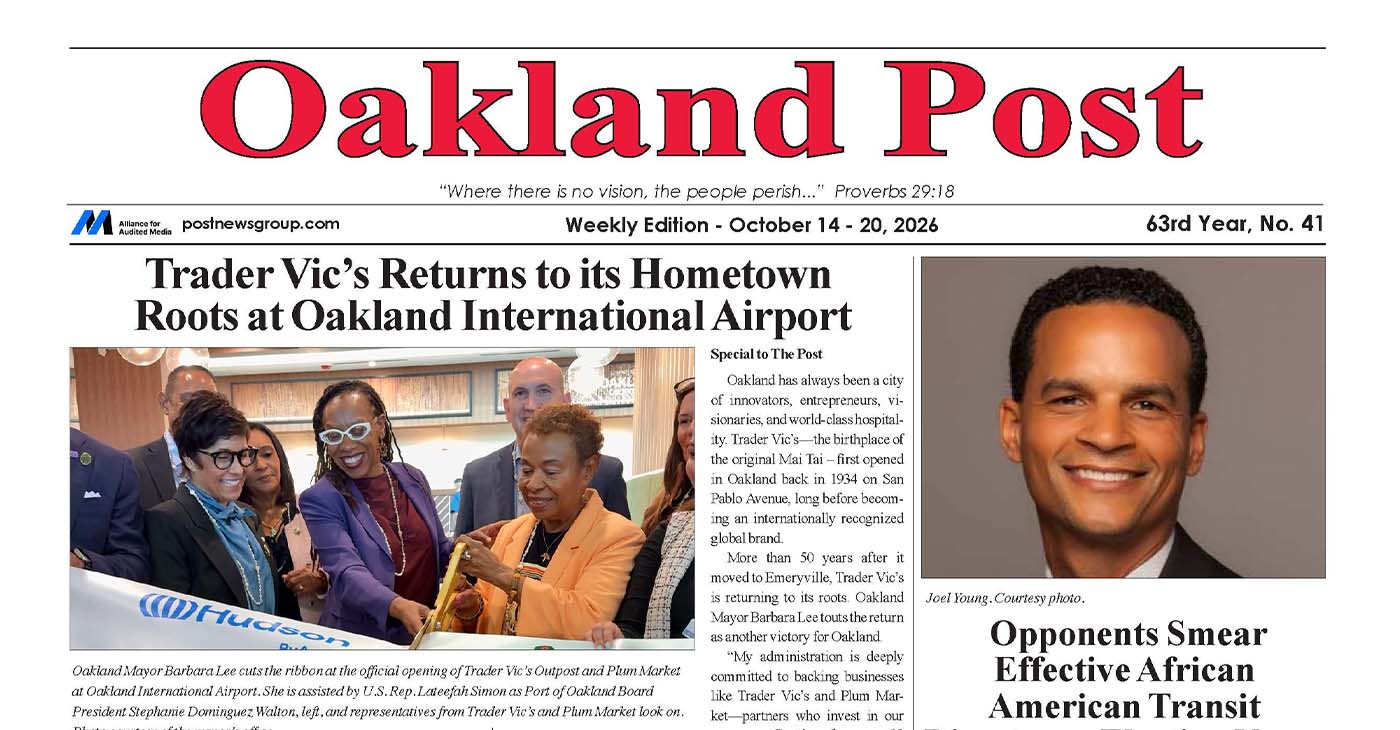
To enlarge your view of this issue, use the slider, magnifying glass icon or full page icon in the lower right corner of the browser window.


Mayor Barbara Lee Holds Special State of the City Address in Deep East Oakland

Practitioners of African Traditional Spirituality Offer Ancestral Reverence Ritual Oct. 31

It’s Time to Lose Weight Before the Holidays

Trader Vic’s Returns to Its Oakland Roots

Oakland Coal Terminal Backed by Trump Would Be Bigger, Dirtier Than Promised, Says Report

Opponents Smear Effective African American Transit Director as Election Nears

Oakland Post: Week of October 14 – 20, 2026

OP-ED: The Black Church Writes AI’s Next Chapter

OP-ED: The Black Church Writes AI’s Next Chapter

WCCUSD Joins Statewide Organic School Food Purchasing Cooperative

Democrats, Community Groups Back Measure EE to Change How Oakland Is Governed

Four Tips to Help You Plan a Holiday “Staycation”

Veterans Housing Project Proposed for South Richmond
PRESS ROOM: Transformative Justice Coalition 2026 Voting Rights Champion Awards Reception ‘Yesterday Is Today: The Battle For Voting Rights

Mayor Lee Delivers 2026 State of the City Address: ‘Oakland Continues to Be on the Move’

Misnamed ‘Parent’ PAC Seeks to Influence Oakland School Board Elections

Listening as a Lifeline: A Doula’s Witness to Black Maternal Health

Poll: Becerra Widens His Lead Over Hilton; Californians Split on Wealth Tax

Oakland Post: Week of September 9 – 15, 2026

County Office of Education Says OUSD Finances Are Getting Healthier, Materially Stronger

Richmond Tiny House Village Farm & Garden Set to Open Gates on Sept. 26

Mayor Lee Announces $1 Million Kaiser Permanente Grant for Pilot Program to Address Homelessness, Clean Up Public Spaces throughout Oakland

Latest Massacre in Haiti Reveals Cruelty U.S. Deportations

Zakiya Jendayi Arrested, Locked Out of Home by Sheriff’s Deputies

OPINION: Nolan Wells’ Death One of Several Signifying Racial Terror Lives on in U.S. South

Doulas Are Helping Black California Moms Navigate Pregnancy–Even as High Mortality Rates Persist

BLACspace Cooperative Invites Bay Area to Experience Oakland’s Black Cultural Ecosystem Through a BLAC Map Tour + Party

Oakland Post: Week of September 16 – 22, 2026

Oakland People’s Arms Embargo Coalition Demands End to Military Shipments Thru Oakland

Democratic Clubs Interview Candidates for Oakland School Board

The Conversation With Al McFarlane 6/23/26

Media Monday 6/22/26

LIVE! ASK ALMA! — TUES. 6.23.26 7PM EST

Car Buying Secrets: 4 Hidden Checks Before You Sign!

Is This 550 HP Charger Worth YOUR Money? AutoNetwork Review

Celebrating Juneteenth – Frederick Douglass on education and resistance

LIVE! — ASK ALMA! — TUES. 6.19.26 7PM EST

Hyundai Ioniq 5 Parking, Safety, and 360 View #shorts

2025 Ioniq 5 New Wiper & Powerful Performance! #shorts

Electric SUV Range: Is 259 Miles Enough? #shorts

EV Charging: How Fast Can You Charge an Electric Vehicle? #shorts

Biometric Cooling… Messaging Seats…Come on! 2025 Infiniti QX80 Autograph 4WD

Charged Up: Witness the Magic of a Fully Electric Car! #shorts

Range Rover Sport PHEV Included…: See What’s Inside This Luxury SUV! #shorts

Invisible Hood View: Perfect Parking with X-Ray Vision! #shorts
-
 Black History3 weeks ago
Listening as a Lifeline: A Doula’s Witness to Black Maternal Health
-
 Economy4 weeks ago
Poll: Becerra Widens His Lead Over Hilton; Californians Split on Wealth Tax
-
 Business4 weeks ago
County Office of Education Says OUSD Finances Are Getting Healthier, Materially Stronger
-
 Lead Story3 weeks ago
Zakiya Jendayi Arrested, Locked Out of Home by Sheriff’s Deputies
-
 Black History4 weeks ago
Doulas Are Helping Black California Moms Navigate Pregnancy–Even as High Mortality Rates Persist
-
 Art4 weeks ago
BLACspace Cooperative Invites Bay Area to Experience Oakland’s Black Cultural Ecosystem Through a BLAC Map Tour + Party
-
 Business4 weeks ago
From Historic Memories to New Possibilities: Oakland Celebrates Coliseum 60
-
 Community4 weeks ago
Asm. Corey Jackson Announces Launch of 24-Hour Childcare in His District
